Developer Common Login
Under the Developer Common Login section, you can customize the error messages that appear when a user logs in.
Configure Developer Common Login
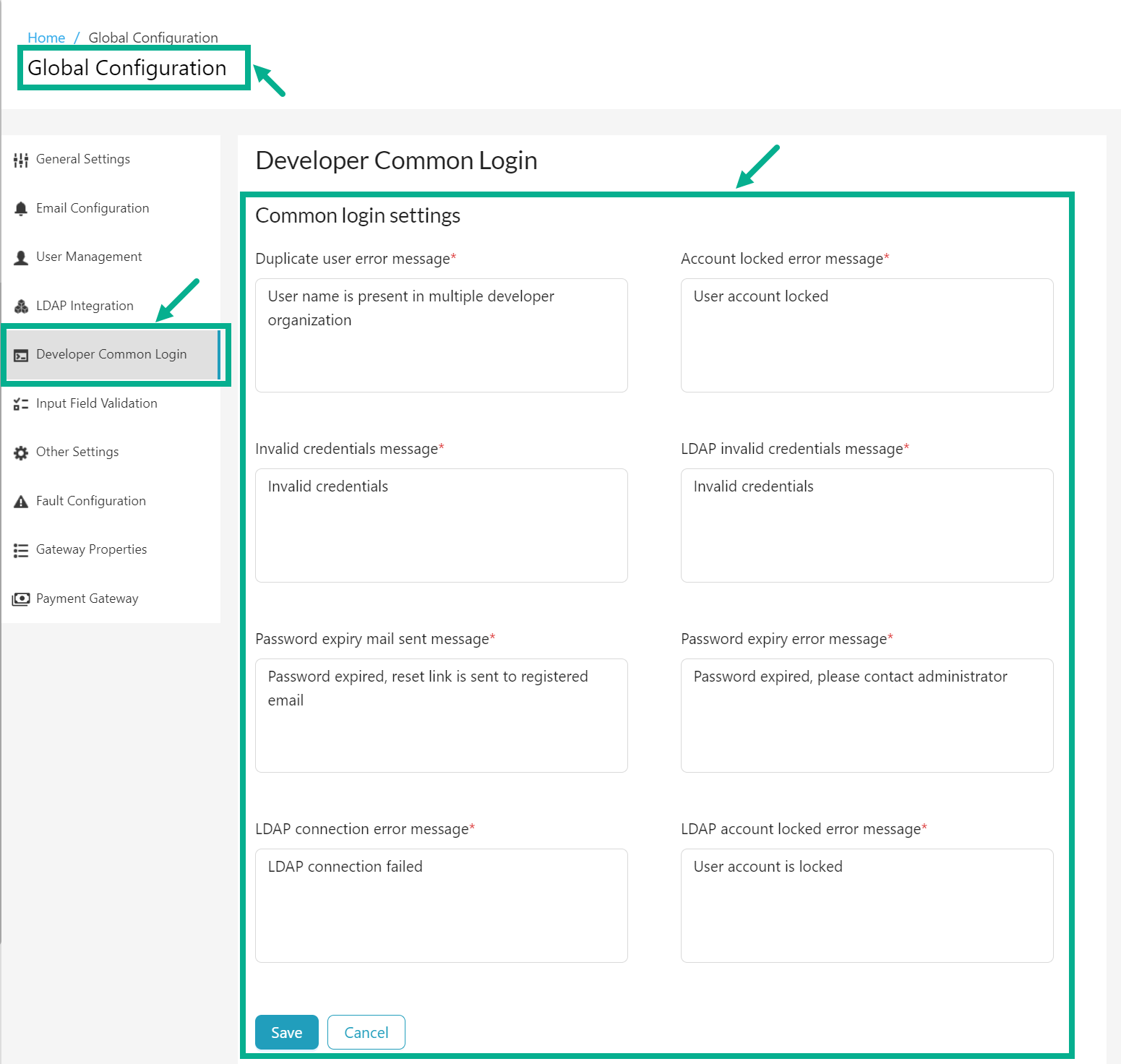
- Navigate to the Global Configuration module's Developer Common Login sub-module.
info
- Duplicate user error message: Displayed when a user with the same username already exists.
- Account locked error message: Displayed when the user's account is locked.
- Invalid credentials message: Displayed when invalid credentials are used for login.
- LDAP invalid credentials message: Displayed for LDAP users with invalid login credentials.
- Password expiry mail sent message: Displayed when a password expiry link is sent to an LDAP user's email address. Displayed only if LDAP password expiry and change options are enabled.
- Password expiry error message: Displayed when an LDAP user's password has expired and password change options are disabled.
- LDAP connection error message: Displayed when the application cannot connect to the LDAP server.
- LDAP account locked error message: Displayed when an LDAP user's account is locked.
-
Under the Common login settings section, enter the Duplicate user error message, Account locked error message, Invalid credentials message, LDAP invalid credentials message, Password expiry mail sent message, Password expiry error message, LDAP connection error message and LDAP account locked error message.
-
Click Save.
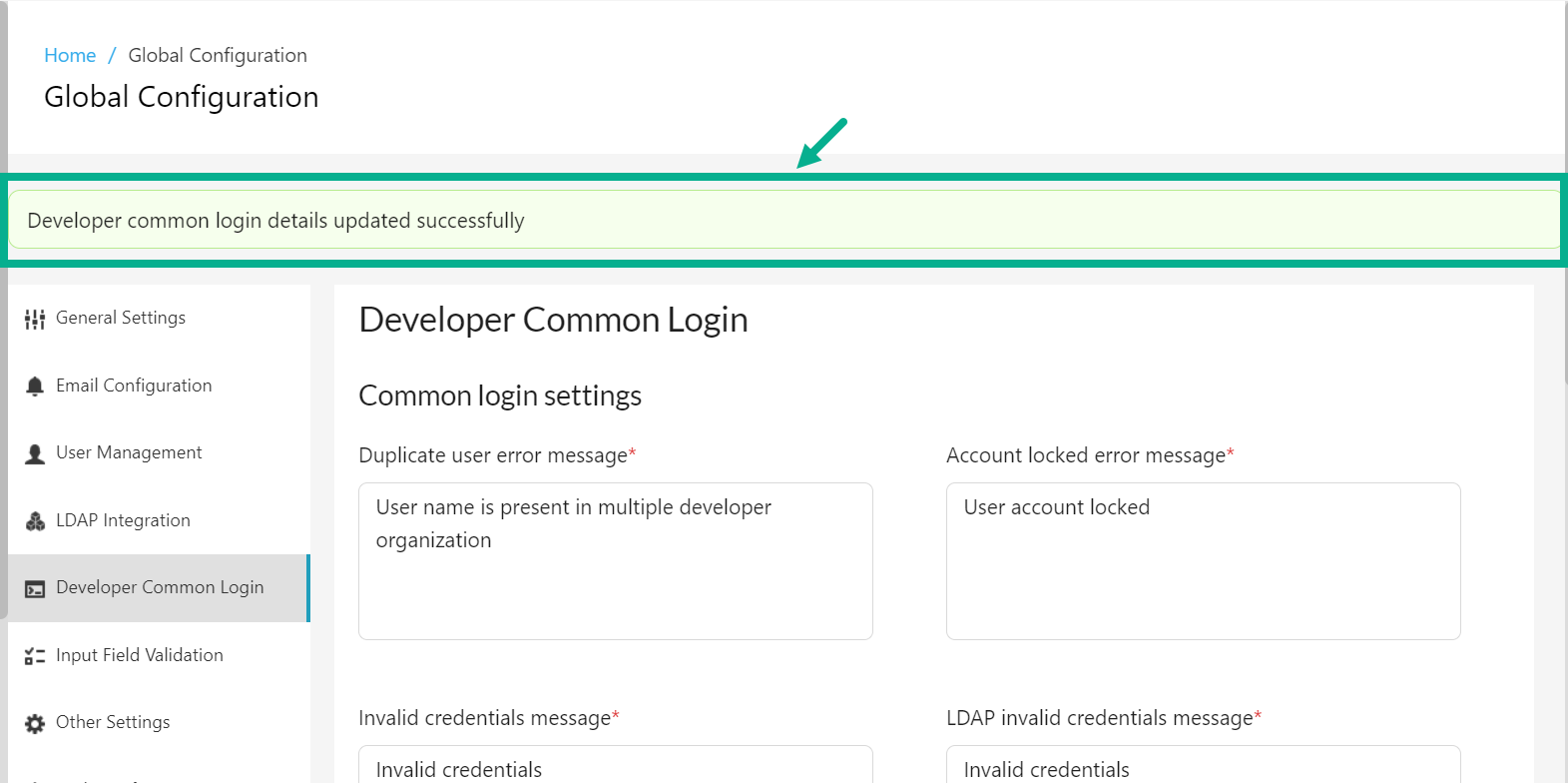
On saving, the confirmation message appears as shown below.